Connection Rules
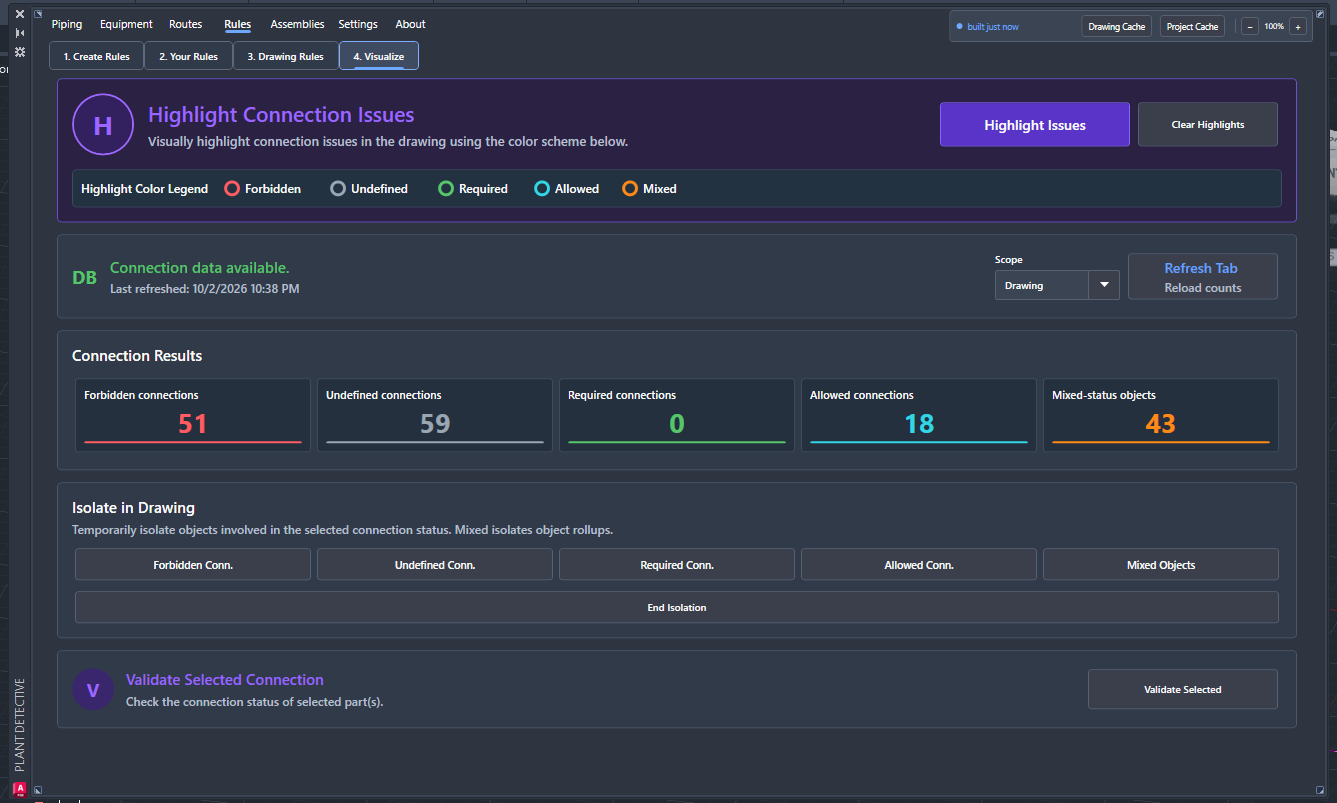
Create reusable family or size rules from specifications or drawings. Review Required, Allowed, Forbidden and Undefined classifications separately from physical connectivity; Undefined is not necessarily a defect.
Explore rulesADVANCED MODEL ANALYSIS FOR AUTOCAD PLANT 3D
Plant Detective
Go Beyond the Data Manager.
Analyze piping connectivity across drawings, investigate line-number and system relationships, visualize model conditions, and explore equipment, routes, and assemblies directly inside AutoCAD Plant 3D.
Connected systems. Physical relationships. Model visualization.
BEYOND TABULAR DATA
AutoCAD Plant 3D Data Manager provides access to project and component information. Plant Detective complements that workflow with connectivity, topology, relationship, and visualization tools for investigating how modeled components interact across drawings and systems.
Component properties, project records, and line and equipment information.
Connected systems, cross-drawing relationships, split line-number groups, equipment connectivity, routes, assemblies and model highlighting.
Complementary workflows, rather than an exhaustive comparison of Autodesk features.
01 / PROJECT-WIDE PIPING SYSTEMS
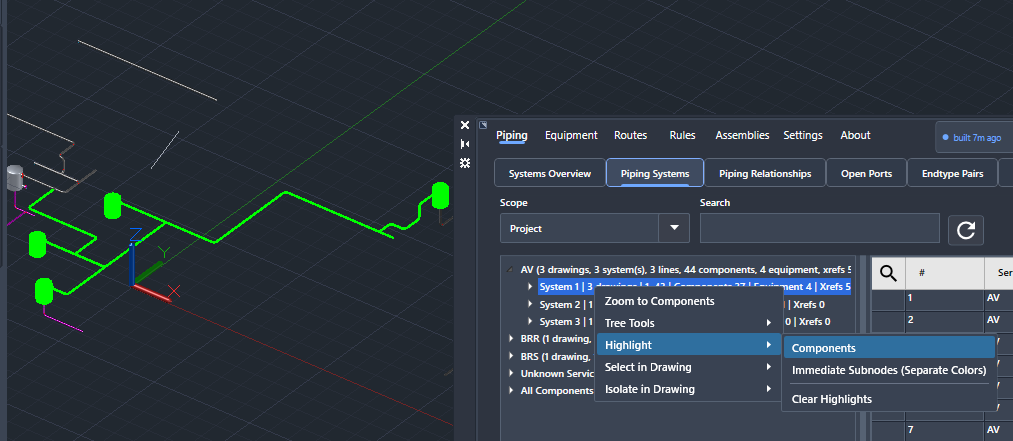
Explore physically connected networks across Plant 3D drawings. Review systems and components, follow services through the available model data, and navigate from results to relevant objects.
Project analysis depends on available, successfully extracted drawing data. Check the build results: incomplete or unavailable drawings can leave gaps in the analysis.
Explore project-wide piping analysis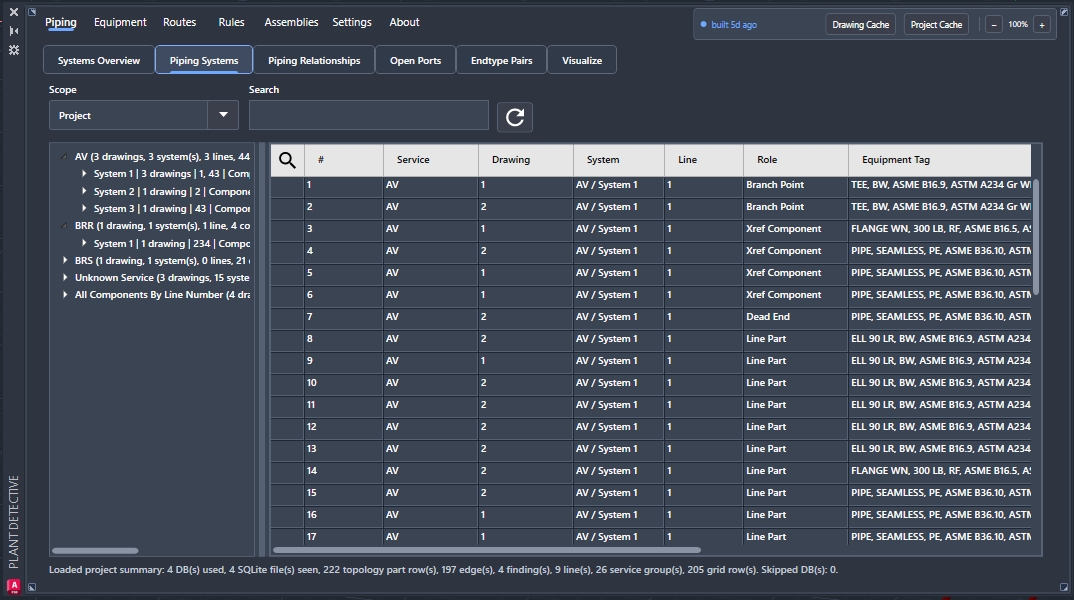
02 / PIPING RELATIONSHIPS
Investigate disconnected groups sharing a line number, split line-number situations, and physical bridges between different lines, specifications or services. Review missing or inconsistent line information in context.
These are investigation findings. Repeated line numbers and cross-boundary connections are not automatically engineering errors; interpret them against your project standards.
Investigate piping relationships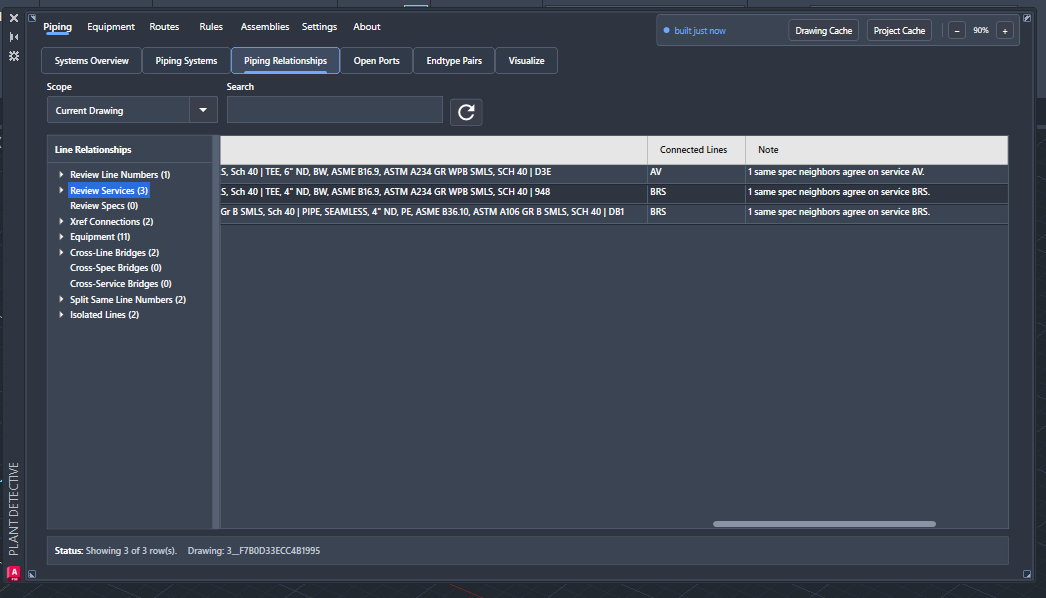
03 / PIPING VISUALIZATION
Use Isolated Components, Disconnected Same Line #, Missing Line #, Missing Service, Equipment Boundaries, Open Ports, Cross-Line Bridges, Cross-Spec Bridges and Cross-Service Bridges to choose a focused review.
Apply a category overlay, then use supported highlight, zoom, selection and isolation actions. Drawing and project results depend on current analysis data and available model or loaded-Xref targets.
Explore piping visualization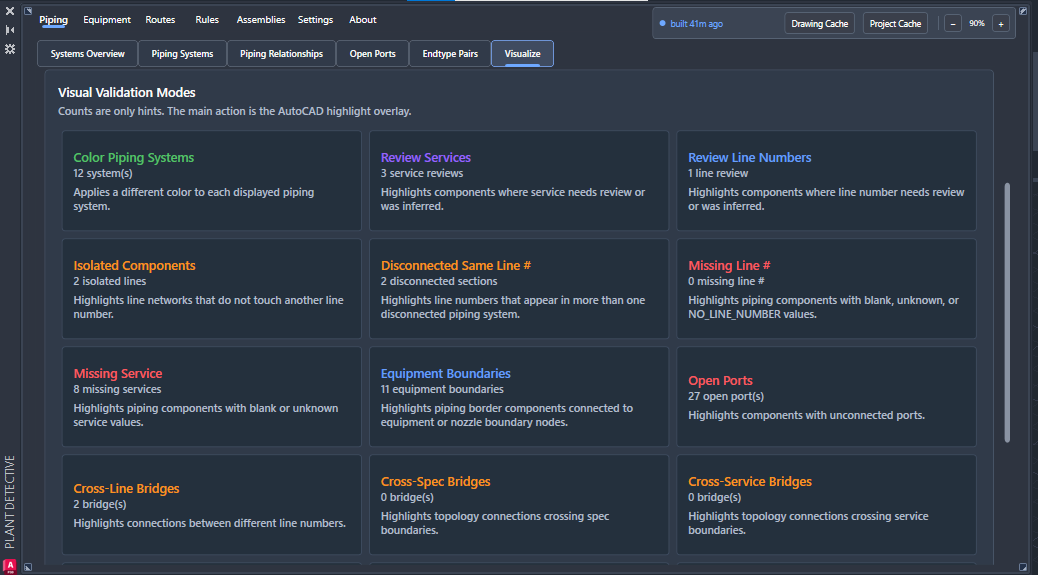
04 / EQUIPMENT ANALYSIS
Review equipment, nozzles, connected lines and reachable equipment. Investigate unconnected nozzles, missing line or service information, equipment boundaries and equipment-connected or floating pipe networks.
Use populated equipment review cards and project topology maps to explore physical equipment-to-piping relationships, then navigate to available components.
Explore equipment analysis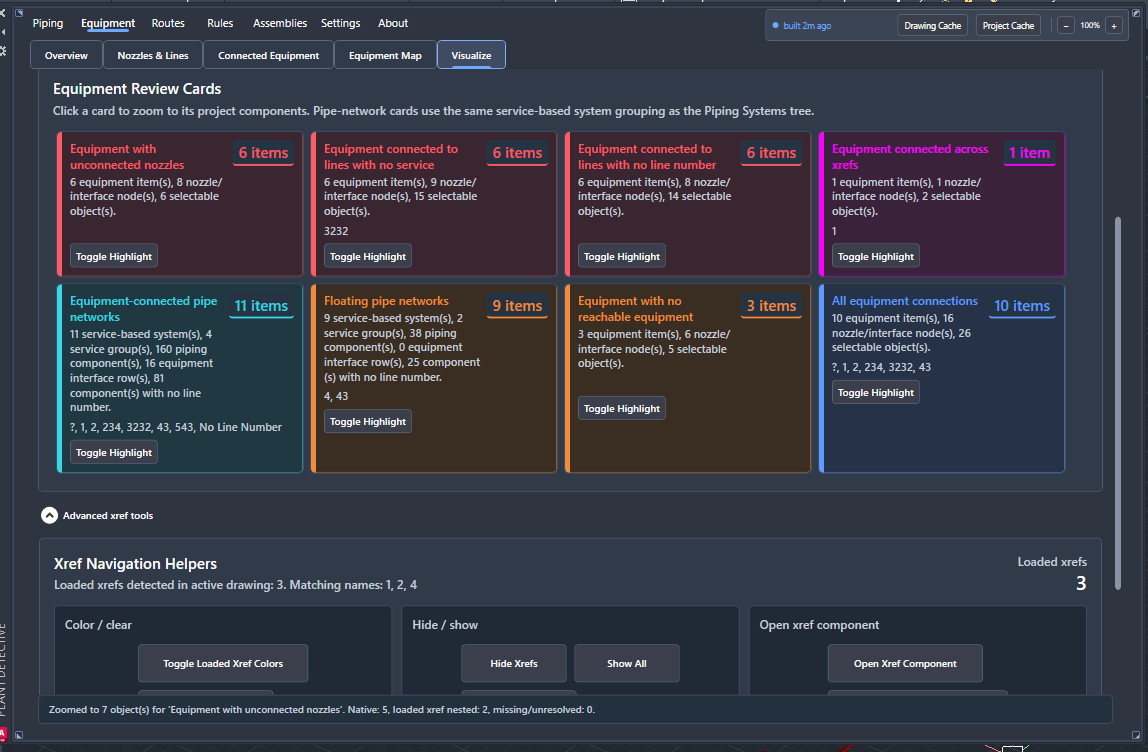
EXTEND THE INVESTIGATION
Create reusable family or size rules from specifications or drawings. Review Required, Allowed, Forbidden and Undefined classifications separately from physical connectivity; Undefined is not necessarily a defect.
Explore rules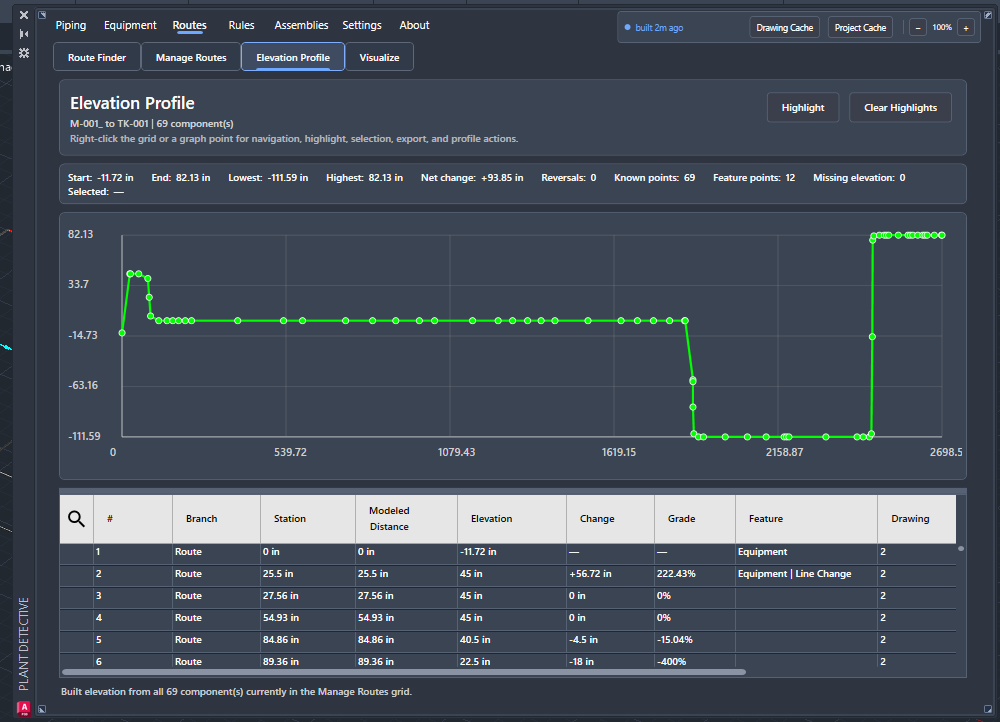
Find component or connected-equipment routes, inspect branches, save paths and compare shared components. Review modeled distances and elevation profiles; route analysis is not hydraulic or flow simulation.
Explore routes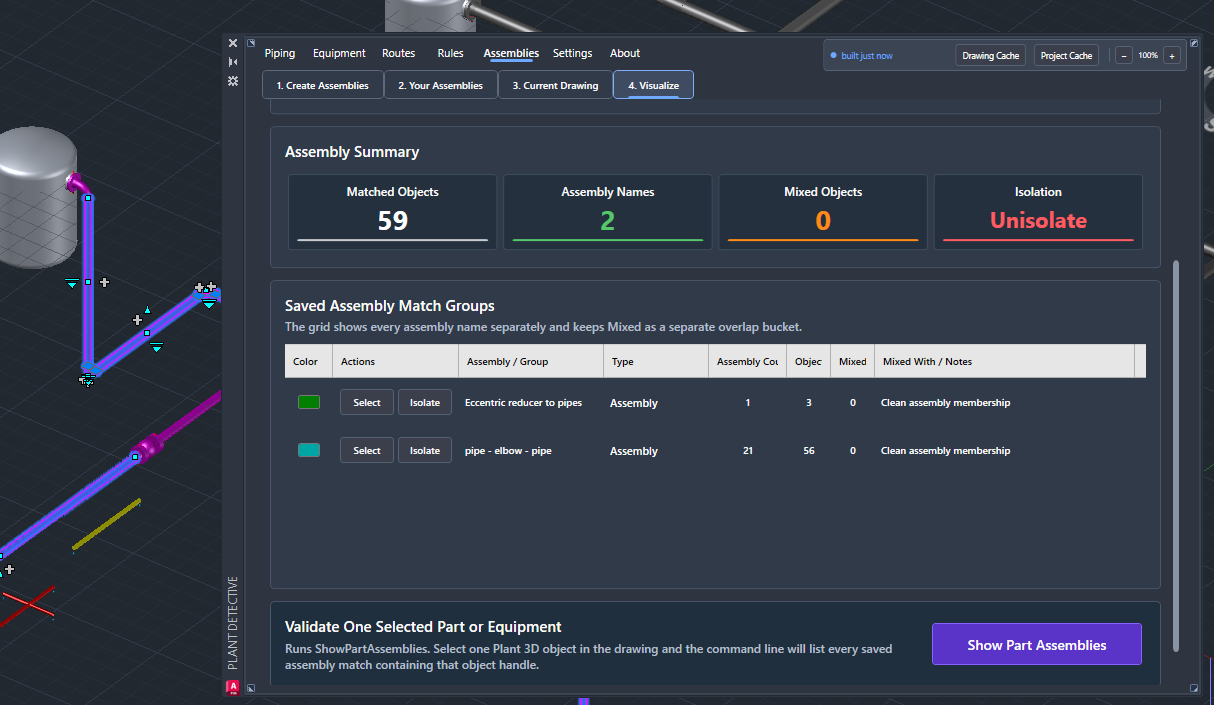
Define connected component patterns and inspect drawing or project matches, missing or unmatched patterns, and saved-group visualization. Matching has implementation limits and is not an exhaustive count.
Explore assembliesHOW IT WORKS
A repeatable model review workflow inside AutoCAD Plant 3D.
Open Plant Detective in your Plant 3D drawing.
Collect drawing or project data for the scope you need.
Explore rules, networks, equipment, routes and assemblies.
Narrow the review set and inspect component relationships.
Highlight, select and navigate to available targets.
PRODUCT DEMONSTRATION
The real application views above show the tools in use. Follow the same sequence in your project with the Help Center.
PRICING & LICENSING
Annual licensing uses progressive seat pricing. Review the four tier rates, annual examples and quotation information for your team.
View pricing & licensingDOCUMENTATION & SUPPORT
Find practical steps, result explanations and troubleshooting in the published Help Center.
Visit the Help CenterGet supportPLANT DETECTIVE BY CADPEAK
Explore the software, review licensing or discuss your Plant 3D workflow.