CADPEAK
Review piping relationships and boundaries
Investigate relationships between lines, services, specifications, and external drawing connections.
Before you start
- Current topology and relevant project references available.
Steps
Review Piping Relationships
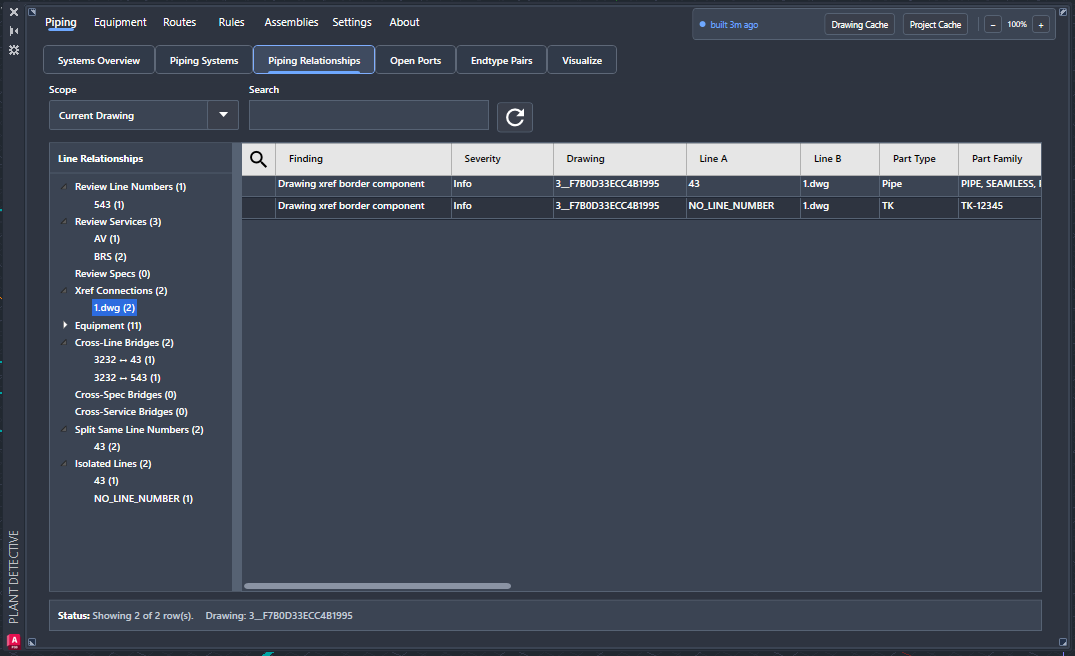
- Open Piping Relationships and choose scope.
- Use Refresh if the view has not loaded the latest saved topology.
- Expand a finding group in the tree and click it.
- Compare Finding and Severity to prioritize review.
- Read Line A, Line B, Direct Line, and Review Line to understand which line assignments are being compared.
- Compare Current Service with Review Service, and Current Spec with Review Spec.
- Read Bridge / Component, Connected Lines, Equipment Tag, Equipment Port, Interface, and Note for the context of the finding.
- Right-click a finding or severity cell and use Filter → Include … for one review category.
- Select the relevant rows, zoom/highlight the available targets, and export the displayed review set through Data → Export Displayed Rows to CSV.
Treat findings as items to assess against design intent. A service or line suggestion is not an automatic model correction.
What to expect
Relationships describe how the cached graph crosses the selected classifications. A boundary can be legitimate rather than an automatic defect.
Important notes
- Topology connectivity does not itself validate a specification transition or process boundary.
- Inferred metadata is a suggestion supported by surrounding facts, not an authorized design change.
- Ambiguous external endpoints can distort project relationships; verify repeated drawing names and source paths.
- Only use an assignment/correction action deliberately after reviewing its confirmation and the actual model.
Screenshots