CADPEAK
What Plant Detective helps you review
Use Plant Detective to review piping connectivity, reusable rules, equipment interfaces, assemblies, and routes inside AutoCAD Plant 3D.
Before you start
- A Plant 3D project and drawings you are authorized to review.
- A CADPEAK release appropriate for your installed Plant 3D version.
Steps
Choose a review task
- Enter PDT in the intended project drawing.
- Build Drawing Cache and wait for completion.
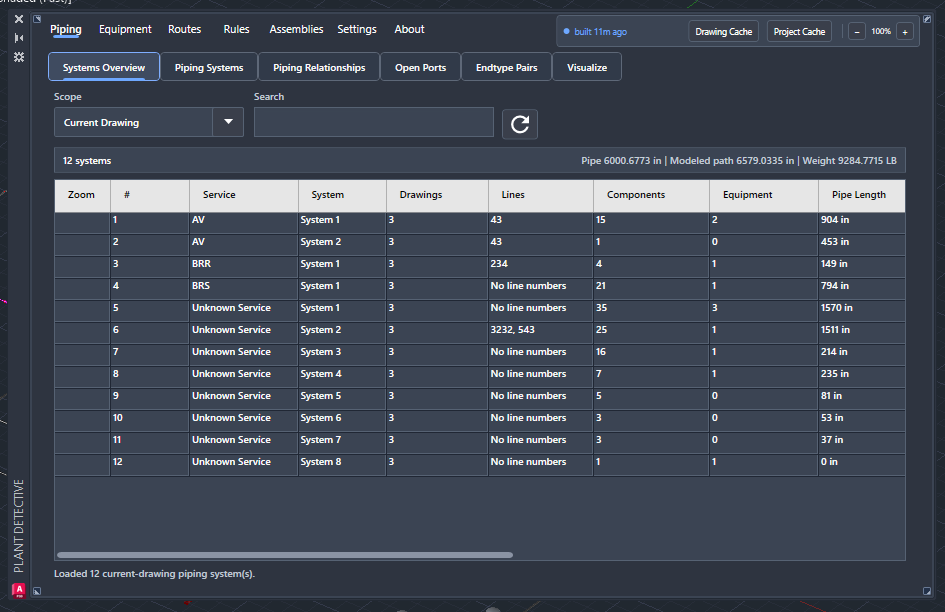
- Choose Rules for pair classifications; Piping for systems, relationships, open ports and endtype pairs; or Equipment for nozzle and equipment review.
- Choose Routes to find/save a path or Assemblies to create/find a reusable pattern.
- Build Project Cache, then choose Project for multi-drawing analysis.
- Follow the complete workspace tutorial, then return to focused help for an individual task.
What to expect
The palette gives several views of the same project information. Saved rules and assembly definitions are reusable application data; analysis results reflect the drawing caches available to the selected scope.
Important notes
- Plant Detective supports model review; it does not certify hydraulic performance, process safety, stress, or engineering compliance.
- A rule status describes your configured classification. It does not create a physical connection or prove design intent.
- A displayed result can be incomplete if a drawing, reference, property, or component could not be read. Review build messages and the model.
- CADPEAK publishes release-specific compatibility information. Confirm your host version against the supplied release notes.
Screenshots